Brand Guide

Step N Sound · Performing Arts & Gymnastics · Iroquois Falls & Cochrane, ON

We use dance to grow kind hearts, strong minds, and confident spirits — preparing our dancers for life beyond the studio. This page is the home of the Step N Sound look: the logo, the colors, the gradients, the type, and how they come together.

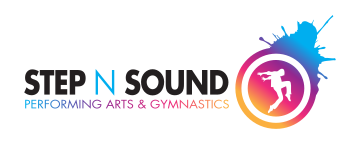
Step N Sound logo — Boy version (primary)
Boy · Primary
Step N Sound logo — Girl version (alternate)
Girl · Alternate

The Story

"We use dance to grow kind hearts, strong minds, and confident spirits."

Every age & stage

Ballet, Tap, Jazz, Hip Hop, Acro & Aerials, Contemporary, Musical Theatre, Breakdance, Silks and Gymnastics — from Tiny Tots to Seniors.

Two hometown studios

Rooted in Northern Ontario with studios in Iroquois Falls and Cochrane — a dance family, not a franchise.

Stage-ready

A competition team, annual recitals, and freestyle weeks where dancers showcase their own style.

The vibe

Energetic, joyful, inclusive. The brand speaks the way the studio teaches — warm and encouraging, never elitist.
The Gradient

One splash, three ways to use it

Straight from the badge: cyan flows through purple and pink into amber. Use the full sweep for hero bands and celebration moments. For the admin app, two sub-gradients pull from the same DNA — one warm, one cool — for highlights and buttons.

Cyan #00AEEF · 0% Purple #92278F · 39% Pink #EE2A7B · 73% Amber #FBB040 · 100%

Warm — Amber → Pink

Admin · highlights & buttons

The "energy / attention" gradient. Use a dark-ink label — amber is too light to carry white text.

--gradient-warm

Cool — Purple → Blue

Admin · highlights & buttons

The "primary / action" gradient. Use a white label over the purple end (or keep the fill purple-dominant).

--gradient-cool

The Colors

Loud where it counts

Splash Purple leads. Cyan, pink and amber bring the energy; Deep Teal does the quiet work — text links and buttons on the website. Printers get the CMYK recipes below.

Splash Purple — Primary
#92278F
RGB 146 · 39 · 143
CMYK 50 / 100 / 0 / 0
Headlines, buttons, key moments
Splash Cyan
#00AEEF
RGB 0 · 174 · 239
CMYK 100 / 0 / 0 / 0
The boy "N", splashes & big graphics
Splash Pink
#EE2A7B
RGB 238 · 42 · 123
CMYK 0 / 95 / 20 / 0
The girl "N", energy accents
Splash Amber
#FBB040
RGB 251 · 176 · 64
CMYK 0 / 35 / 85 / 0
Warm highlights & badges on dark
Deep Teal
#006A93
RGB 0 · 106 · 147
CMYK ≈ 100 / 28 / 0 / 42
Website text, links & buttons
Ink
#3B3D42
RGB 59 · 61 · 66
CMYK ≈ 0 / 0 / 0 / 85
Body copy & wordmark gray

Good to know: Splash Cyan, Pink and Amber are display colors — they don't have enough contrast to be small text on white. When cyan needs to be words, it becomes Deep Teal. On gradient buttons: white text on the cool (purple) gradient, dark ink on the warm (amber) one.

The Type

Geometric, confident, in motion

Aa
Jost — the web typeface
DanceLight 300 DanceRegular 400 DanceMedium 500 DanceBold 700 DanceBlack 900

Step N Sound Recital 2026

Registration is open for the fall season — Tiny Tots through Senior levels, in Iroquois Falls and Cochrane. Every dancer gets a moment in the spotlight.

Buttons & labels — Black 900 · 11px · spaced caps

One-Ink Versions

Built for every surface

Beyond the full-color badge, the logo ships as a set of single-ink lockups — one flat color each — for embroidery, foil, vinyl, screen-print and anywhere a single color is all you get. Reach for the ink that reads best on the material.

PurpleSingle-ink logo in Splash Purple
PinkSingle-ink logo in Splash Pink
BlueSingle-ink logo in Splash Cyan
BlackSingle-ink logo in black
White · on darkSingle-ink logo in white on a dark tile
Yellow · on darkSingle-ink logo in amber on a dark tile

The Brand at Work

Software that feels like the studio

Schedules, registration, dashboards — internal tools carry the same colors, type and gradients, so the brand shows up everywhere the studio works. The warm and cool gradients do the highlight-and-button work here. (Sample screens with illustrative numbers.)

Dashboard

Enrolled Dancers
214
▲ 12 this month
Classes This Week
38
▲ 2
Recital Tickets
512
▲ 64
Costume Fittings
26
▼ due Friday
Fall Schedule — Iroquois Falls Week 3
ClassLevelTimeSpots
BalletJuniorMon 5:00Open
Hip HopSeniorTue 6:30Waitlist
Acro & AerialsLevel 2Wed 5:30Open
GymnasticsLevel 1Thu 5:00Open
Musical TheatrePrimaryThu 7:00Open
Enrolment by Program 2026–27
Ballet Jazz Hip Hop Acro Gym Tap
Recital capacity 72%

Cool gradient → primary buttons & the highlighted KPI · warm gradient → attention accents & the capacity bar · tiles still hover-invert to Splash Purple.

Email signature

Email signature builder

Fill in your details — your office, phone, fax and address are pre-filled but you can edit them. Cell, fax and email drop off when left blank.

Optional — leave blank to omit the email line.
Pick your office — it fills the address, phone and fax below. You can still edit them.
Included automatically
stepnsounddance.com
Brand logo & colors (and legal disclaimer, if set)

Live preview

How to install it

Gmail / Google Workspace
  1. Click Copy signature above.
  2. In Gmail, open Settings (gear) → See all settings.
  3. Scroll to the Signature section and click Create new (name it, e.g. "Step N Sound").
  4. Click inside the signature box and paste (Cmd/Ctrl + V).
  5. Set it as your default under "Signature defaults", then scroll down and click Save Changes.
Outlook (Windows desktop)
  1. Click Copy signature above.
  2. In Outlook, go to File → Options → Mail → Signatures…
  3. Click New, name it, then click into the edit box and paste (Ctrl + V).
  4. Under "Choose default signature", set it for New messages (and replies if you like).
  5. Click OK. The logo loads from the web, so keep images enabled.
Outlook on the web / Microsoft 365
  1. Click Copy signature above.
  2. Open Settings (gear) → Mail → Compose and reply.
  3. Under Email signature, click into the box and paste (Cmd/Ctrl + V).
  4. Choose to apply it automatically to new messages / replies.
  5. Click Save.
Apple Mail (macOS)
  1. Open Mail → Settings → Signatures.
  2. Select your account, click + to add a signature, and name it.
  3. Uncheck "Always match my default message font" so the formatting is kept.
  4. Click Copy signature above, then click into the signature area and paste (Cmd + V).
  5. If pasting drops the layout, use View HTML code → Copy HTML code and paste that instead.
Logo: signatures embed the hosted PNG at https://brand.stepnsound.com/assets/signature/signature-logo-2026.png. The logo appears once the recipient's email client loads remote images; the alt text shows otherwise.